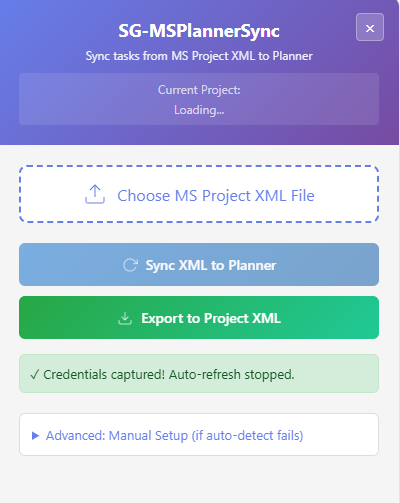
Bridge the gap between Microsoft Project and Planner.
Microsoft Project Online retires September 30, 2026. Your team still runs on Project Desktop. PlannerSync keeps them connected — no servers, no hassle, no IT ticket required.
Microsoft is retiring Project Online and Project for the Web. Planner is the future — but your project plans, dependencies, and schedules still live in Microsoft Project Desktop. There's no built-in way to keep them in sync.
Your team needs visibility in Planner. Your PMs need control in Project. And right now, the only option is manually copying tasks between the two. PlannerSync fixes that.
Export your Microsoft Project schedule as an XML file — a built-in feature you already have.
PlannerSync connects directly to your Microsoft 365 Planner boards through your browser.
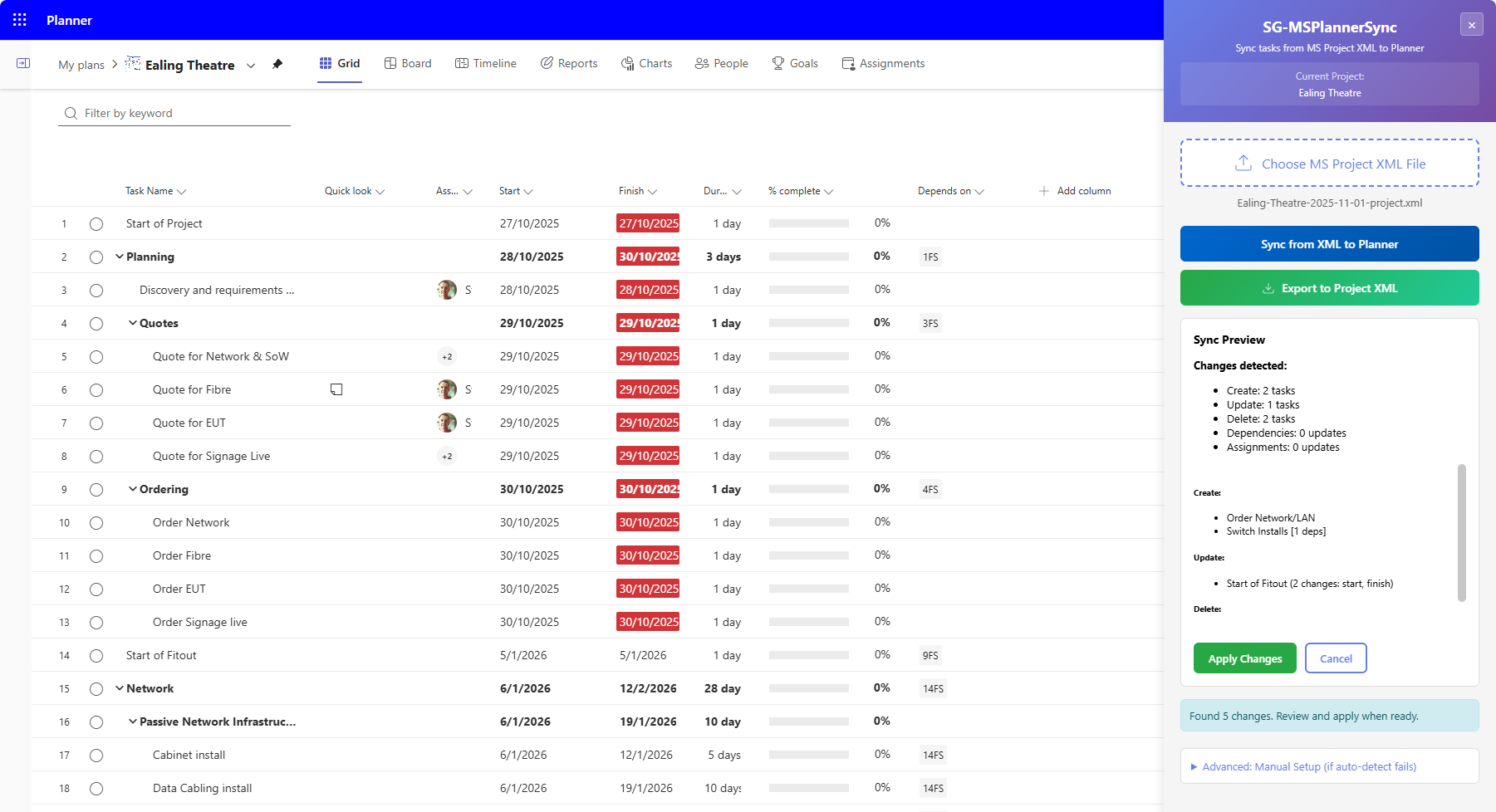
Preview every change before it happens. See exactly what will be created, updated, or deleted.
Push changes from Project to Planner, or pull Planner updates back into your Project XML. Two-way, not one-way.
Every sync shows a clear preview: CREATE new tasks, UPDATE changed ones, DELETE removed ones. Nothing happens without your approval.
All processing happens locally in your browser. No data leaves your machine. No server. No account. No API keys.
It's a browser extension. Install it yourself in 30 seconds. No admin rights, no procurement process, no security review needed.
Works natively in Microsoft Edge as well as Chrome. No additional configuration required.
Includes all features, updates, and priority email support. Cancel any time — no contracts, no drama.
SubscribeWe're building the next generation — direct synchronisation between Microsoft Project Desktop and Planner without the XML export step.
Sync directly from within Microsoft Project. No more exporting XML files.
Real-time connection between Project and Planner without manual XML export.
Set it and forget it. Keep your plans in sync continuously.
Visibility across multiple projects and plans for PMO leads.
Born from real frustration with the Microsoft Project ecosystem. Built by someone who's lived in enterprise IT and knows what PMs actually need.
Microsoft has confirmed Project Online retires on September 30, 2026. If your organisation uses Project Desktop alongside cloud tools, you need a bridge.
Your data stays yours. No accounts, no tracking, no vendor dependency.
Yes. PlannerSync works with both Planner Basic and Planner Premium plans.
All processing happens in your browser. No data is sent to any server. Your project data never leaves your machine.
No. It's a standard Chrome extension. Any user can install it.
Yes — Microsoft Edge supports Chrome extensions natively.
Yes. PlannerSync syncs between Project Desktop (which Microsoft is keeping) and Planner. The Project Online retirement doesn't affect it.
v2 adds direct sync without XML export, plus a Project Desktop plugin. It's in early testing. v1 will continue to work and be supported.